Mobile App
Nugod88 App — Enjoy gaming anytime, anywhere
Take the full nugod88 platform wherever you go. Fish Game, Slots, Live Casino, Betting — all in one app. Same speed, same thrill on both Android and iOS.

Take the full nugod88 platform wherever you go. Fish Game, Slots, Live Casino, Betting — all in one app. Same speed, same thrill on both Android and iOS.
The nugod88 app is the mobile version of one of Bangladesh's most popular online gaming platforms. It gives you access to all games and services from any smartphone or tablet — the same complete experience as desktop, only more convenient.
Many people worry that mobile apps compromise game quality or cut certain features. That is not the case with nugod88. The full multiplayer fish game experience, HD graphics for slots, and real-time dealers in Live Casino are all fully intact.
Push notifications are another major advantage of the nugod88 app. Special offers, bonus events, and tournament updates are delivered directly to your phone so you never miss a good opportunity.
While nugod88 is not available directly on the Google Play Store, you can download the APK from nugod88.net and install it on Android. iOS users get a full PWA experience through Safari.

Android, iOS, or any modern browser — nugod88 is ready on all of them.
Install the nugod88 APK on any Android 6.0 or higher device. The file is just a few megabytes and installation takes under 1 minute.
Visit nugod88.net in Safari on your iPhone or iPad. Add it to your home screen for a full app-like experience — no App Store needed.
You can play all games without downloading the app by visiting nugod88.net in Chrome, Firefox, or any modern browser.
Even easier and faster than desktop — you have everything right on mobile.
Thanks to an optimized codebase, games load quickly even on a weak network connection.
Your account is protected with SSL encryption and two-factor authentication.
Get instant updates on new bonuses, tournaments, and deposit and withdrawal activity.
The entire app is in Bangla, making it easy even for first-time users to navigate.
Deposit and withdraw in minutes via mobile banking or e-wallet.
Fish Game, Slots, Live Casino, Sports Betting — all in one app.
A built-in dark mode runs automatically on all devices to reduce eye strain.
Contact us directly via live chat within the app for any issues.
Install the nugod88 app on your Android phone in just a few simple steps.
Only download the official nugod88 APK from nugod88.net. We strongly advise against using files downloaded from third-party sites.
On iOS devices, you can get a full nugod88 app-like experience without the App Store. Just follow the steps below.

Check the minimum requirements to run the app on Android and iOS.
| Topic | Android | IOS (PWA) |
|---|---|---|
| Minimum OS Version | Android 6.0 (Marshmallow) | IOS 13.0 |
| Device RAM | 2 GB or more | IPhone 6S or later |
| File Size | Approx. 35 MB | Browser Cache Only |
| Internet connection | 3G / 4G / Wi-Fi | 3G / 4G / Wi-Fi |
| Push Notifications | Full Support | iOS 16.4+ |
| Bangla Interface | Complete | Complete |
| Auto Update | Manual APK Update | Automatic (Browser) |
| Fingerprint Login | Supported | Face ID / Touch ID |
In Bangladesh, most people access the internet through their smartphones, with relatively few using computers or laptops. nugod88 built its mobile app with exactly this reality in mind. It's not just a mobile version of the website — it's a completely standalone experience.
Opening the nugod88 app, you are greeted with a clean, well-organized interface. A bottom tab bar gives you quick access to Home, Game Lobby, Promotions, Wallet, and Profile. Buttons are designed to be easy to tap even with larger fingers, with older users in mind.
The app's graphics performance during Fish Game is genuinely impressive. Fish animations, explosion effects, and the scoreboard all run silky smooth — with zero lag even on mid-range Android devices.
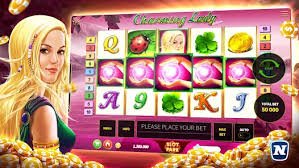
The Slots section features hundreds of games. On the nugod88 app, they're organized by category — Popular, New, Jackpot, Classic, and by Provider. You can also use the search bar to find a specific game directly. Each game thumbnail displays its rating and multiplier, making it easy to choose.
The nugod88 app's Live Casino section lets you play with real-time dealers in HD video streaming that runs smoothly on mobile. Joining a Live Baccarat, Roulette, or Live Poker table takes only a few seconds. You can also chat with dealers and other players through the built-in chat feature.
The Wallet section of the nugod88 app is straightforward to use. Choose mobile banking or bank transfer to deposit, enter the amount, and complete the payment. Your balance is typically topped up within 5 minutes. Withdrawals are just as simple — once requested, funds usually arrive within 15 to 30 minutes.
Nugod88 takes security seriously. The app supports biometric login (fingerprint or Face ID), so you never have to worry about typing a password. Every session is encrypted and automatically logs out after a period of inactivity, keeping your account safe even if you lose your phone.
Overall, the nugod88 app is an ideal gaming solution for Bangladesh. It runs on affordable data plans, operates in Bangla, and supports local payment methods — three qualities that truly set it apart from the competition.
Real experiences from members who have used the nugod88 app.
"Since installing the nugod88 app, I don't have to bother opening a browser anymore. I launch it straight from the home screen and every game runs perfectly. Fish games especially are a lot of fun on mobile."
"I added it to my home screen via Safari on iPhone. It feels exactly like a native app — you genuinely can't tell the difference. Live Casino runs beautifully on mobile."
"I handle everything through the app — from deposits to withdrawals. Whenever I have an issue, I get a response right away on live chat. The nugod88 app is genuinely very convenient."
Quick answers to the most common questions about the app.
Sign up, claim your welcome bonus, and enjoy the best gaming experience — all on mobile.